
Most people blame slow computers on outdated hardware, but in many cases the real villain is a layer of invisible dust quietly cooking components from the inside. Choosing the right vacuum for PC dust can improve airflow, reduce overheating, extend hardware lifespan, and keep keyboards and desktops cleaner without damaging sensitive electronics.
What Is a Computer Cleaning Vacuum and Why Does It Matter?
A computer cleaning vacuum is a compact vacuum designed to safely remove dust, debris, crumbs, and particles from PCs, keyboards, vents, fans, and electronics without generating harmful static electricity.
Dust buildup inside computers is more serious than most users realize. According to studies from data center maintenance professionals, dust accumulation can reduce cooling efficiency significantly and increase internal operating temperatures. Higher temperatures can shorten the lifespan of CPUs, GPUs, power supplies, and SSDs.
Unlike standard household vacuums, a dedicated keyboard vacuum cleaner or electronics vacuum uses lower suction power, anti-static materials, precision nozzles, and soft brushes to clean delicate components safely.
Common devices cleaned with desktop cleaning tools include:
- Gaming PCs
- Office desktops
- Laptops
- Mechanical keyboards
- Computer fans
- PSU vents
- Printers
- Monitors
- Audio equipment
Why Is Dust Dangerous for Computers?
Dust blocks airflow, traps heat, and can lead to thermal throttling, loud fans, reduced performance, and hardware failure.
Modern computers rely heavily on airflow management. Even premium cooling systems become inefficient when fan blades and heatsinks are covered with dust. Over time, this creates multiple problems:
- Higher CPU and GPU temperatures
- Reduced gaming performance
- Unexpected shutdowns
- Louder cooling fans
- Shorter component lifespan
- Poor energy efficiency
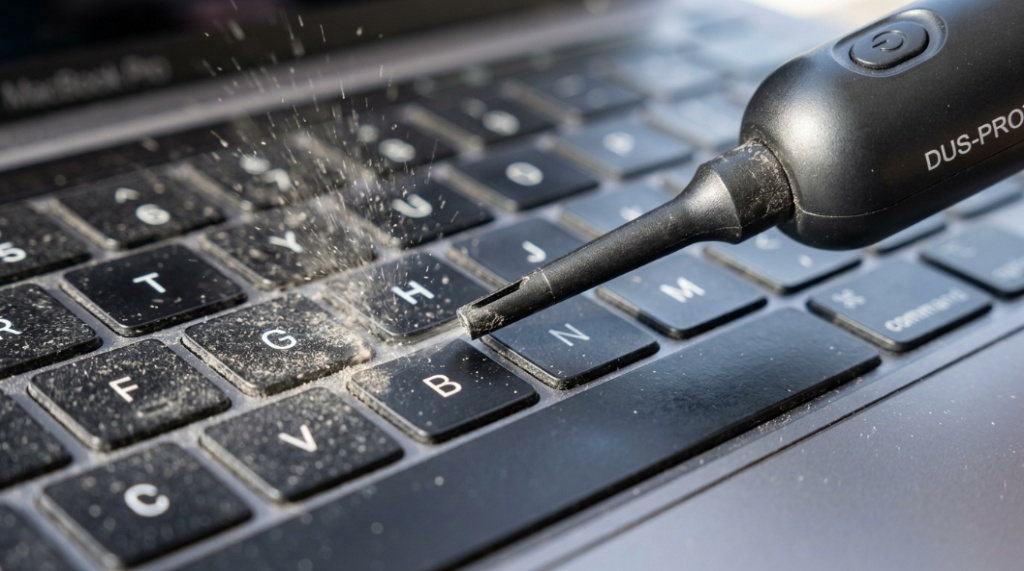
Dust also affects peripherals. Mechanical keyboards often accumulate food crumbs, hair, lint, and skin particles beneath switches. A quality keyboard vacuum cleaner helps remove debris that compressed air alone may not fully extract.
Can Dust Actually Damage PC Components?
Yes. Excessive dust can cause overheating, fan failure, and electrical issues if moisture mixes with dirt particles.
In extreme cases, clogged cooling systems may cause thermal shutdowns or permanent hardware degradation. Graphics cards and power supplies are especially vulnerable because they generate substantial heat during operation.
What Features Should You Look for in a Vacuum for PC Dust?
The best computer cleaning vacuum should have anti-static protection, controlled suction power, precision attachments, HEPA filtration, and portability.
Not all electronics vacuums are built the same. Some inexpensive models look attractive online but lack critical safety features.
Why Is Anti-Static Protection Important?
Anti-static protection prevents electrostatic discharge (ESD), which can damage sensitive computer components.
Static electricity is a serious concern when cleaning motherboards, RAM sticks, GPUs, and SSDs. Standard household vacuums can generate static buildup through friction, increasing the risk of component damage.
Look for:
- ESD-safe certification
- Anti-static hoses
- Grounded construction
- Electronics-safe labeling
How Much Suction Power Is Best for Electronics?
Moderate suction is ideal because excessive power may damage delicate components or pull small connectors loose.
A good desktop cleaning tool balances airflow and precision. High-powered industrial vacuums are usually unnecessary for personal computers.
Adjustable suction settings are especially useful for:
- Mechanical keyboards
- Laptop cooling vents
- GPU heatsinks
- USB ports
- Motherboards
Which Attachments Are Most Useful?
Soft brush nozzles, crevice tools, and precision tips provide safer and more effective cleaning.
Helpful accessories include:
| Attachment | Best Use |
|---|---|
| Soft brush | Keyboard keys and fan blades |
| Crevice tool | Tight vents and narrow gaps |
| Flexible hose | Inside compact PC cases |
| Mini nozzle | Precision motherboard cleaning |
| Air blower combo | Dust removal from heatsinks |
Should You Use Compressed Air or a Computer Vacuum?
A computer vacuum removes dust directly, while compressed air blows debris away. Many users combine both methods for deeper cleaning.
Compressed air is popular because it quickly dislodges dust from fans and heatsinks. However, it often pushes dust deeper into rooms or inaccessible areas.
A vacuum for PC dust offers cleaner collection and better long-term maintenance.
| Cleaning Method | Advantages | Disadvantages |
|---|---|---|
| Compressed Air | Fast, inexpensive, portable | Blows dust around |
| Computer Vacuum | Collects debris directly | Requires careful suction control |
| Air Blower + Vacuum Combo | Most thorough cleaning | Usually more expensive |
Is Compressed Air Bad for PCs?
Compressed air is generally safe when used correctly, but improper use may spin fans too fast or introduce moisture from low-quality cans.
Many technicians hold fan blades in place during cleaning to prevent overspinning.
What Types of Computer Cleaning Vacuums Are Available?
Computer vacuums come in handheld, USB-powered, cordless, electric duster combo, and professional-grade models.
Are USB Mini Vacuums Worth Buying?
USB mini vacuums are convenient for light keyboard cleaning but usually lack the power needed for deep desktop cleaning.
They work best for:
- Office desks
- Laptop keyboards
- Surface dust
- Portable travel cleaning
However, they may struggle with thick dust inside gaming PCs.
What Are Electric Air Duster Vacuum Combos?
Electric duster combos combine air blowing and vacuum functionality in one device.
These tools are increasingly popular because they:
- Reduce disposable compressed air usage
- Offer reusable cleaning solutions
- Improve deep-cleaning efficiency
- Handle both blowing and collecting dust
Many PC enthusiasts prefer these systems for gaming rigs and workstation maintenance.
How Often Should You Clean Your Computer?
Most computers should be cleaned every 3–6 months, depending on dust exposure, pets, smoking, and room airflow.
Dust accumulation varies by environment. Homes with pets or carpets usually require more frequent maintenance.
Signs Your PC Needs Cleaning
Your computer likely needs cleaning if you notice:
- Louder-than-normal fans
- High CPU temperatures
- Reduced gaming performance
- Visible dust near vents
- Frequent overheating
- Unexpected shutdowns
Gamers and video editors often clean systems more frequently because high-performance hardware generates more heat.
Can a Regular Household Vacuum Damage a Computer?
Yes. Standard household vacuums can create static electricity and excessive suction that may damage electronics.
Traditional vacuums are not designed for sensitive circuitry. Risks include:
- Electrostatic discharge
- Loose motherboard connectors
- Damaged fan bearings
- Broken small components
This is why electronics-safe desktop cleaning tools are strongly recommended.
What Is the Best Way to Clean a Keyboard?
The best method combines a keyboard vacuum cleaner, soft brush, microfiber cloth, and occasional compressed air.
Mechanical keyboards trap surprising amounts of debris under keycaps. Proper cleaning improves typing feel and hygiene.
Step-by-Step Keyboard Cleaning Process
Follow these steps for safe keyboard cleaning:
- Disconnect the keyboard
- Turn it upside down gently
- Use compressed air lightly
- Vacuum loosened particles
- Use a brush attachment between keys
- Wipe surfaces with microfiber cloth
- Deep clean removable keycaps if necessary
For office environments, regular keyboard maintenance can also reduce bacteria buildup on high-touch surfaces.
Which HEPA Filters Are Best for Electronics Cleaning?
HEPA filters improve dust containment by trapping fine particles instead of releasing them back into the air.
A high-quality filter is especially useful for:
- Allergy-sensitive users
- Pet owners
- Offices
- Gaming setups
- Shared workspaces
HEPA filtration also improves indoor air quality during cleaning sessions.
What Are the Best Practices for Safe PC Cleaning?
Safe PC cleaning involves powering down the system, avoiding excessive force, and using anti-static tools.
Safe Cleaning Checklist
- Turn off and unplug the PC
- Use anti-static equipment
- Avoid direct contact with circuitry
- Hold fans still during cleaning
- Use gentle suction
- Work in a dry environment
- Clean filters regularly
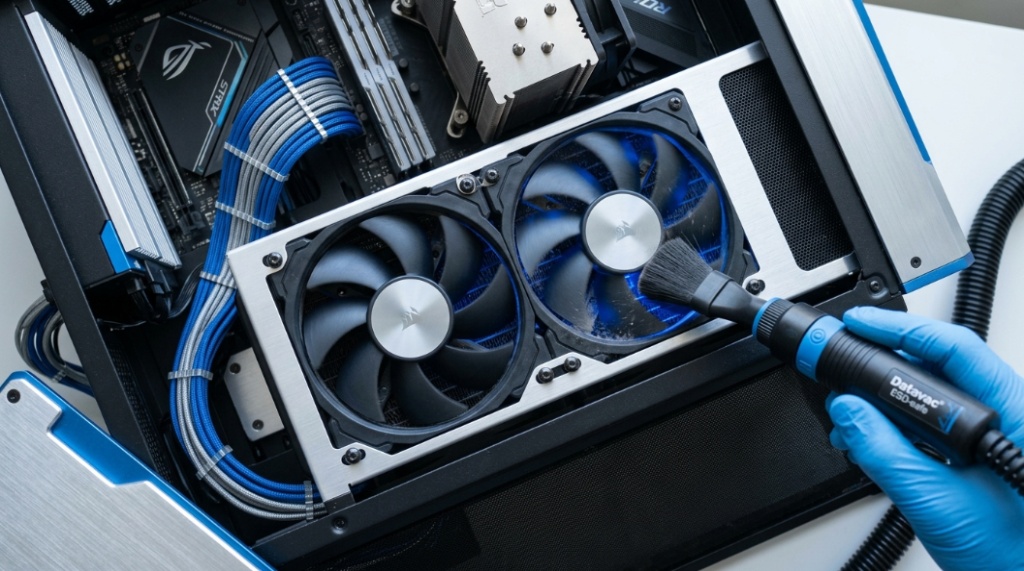
Professional IT technicians often use anti-static wrist straps when handling expensive components.
Do Gaming PCs Need More Frequent Cleaning?
Yes. Gaming PCs usually require more frequent cleaning because powerful hardware generates higher heat levels.
Gaming systems often include:
- High-performance GPUs
- Multiple cooling fans
- Liquid cooling radiators
- RGB airflow setups
These systems pull large amounts of air through cases, increasing dust intake over time.
How Does Dust Affect Gaming Performance?
Dust can increase thermal throttling, causing lower frame rates and unstable performance during gaming sessions.
Overheating GPUs may automatically reduce clock speeds to protect hardware, leading to reduced FPS and stuttering.
What Mistakes Should You Avoid When Cleaning a PC?
The biggest mistakes include using household vacuums, applying liquid cleaners directly, and cleaning while the PC is powered on.
Common Cleaning Mistakes
- Using strong suction on motherboard parts
- Ignoring static protection
- Spraying liquids inside the case
- Cleaning while plugged in
- Spinning fans aggressively with compressed air
- Using rough brushes
Even simple maintenance errors can lead to expensive repairs.
Are Cordless Computer Vacuums Better Than Wired Models?
Cordless models offer portability and convenience, while wired models typically provide stronger continuous performance.
Your choice depends on usage style.
| Type | Advantages | Disadvantages |
|---|---|---|
| Cordless | Portable, compact, easy storage | Battery limitations |
| Wired | Consistent power, longer runtime | Less portable |
How Do Professionals Clean High-End Computers?
Professional technicians use ESD-safe vacuums, electric air dusters, microfiber cloths, anti-static brushes, and thermal inspections.
Many repair shops also:
- Monitor temperature changes
- Replace thermal paste
- Inspect airflow patterns
- Check fan RPM performance
- Clean PSU filters
Routine preventive maintenance can help expensive systems maintain peak efficiency for years.
Conclusion
Choosing the right vacuum for PC dust is about more than keeping your setup visually clean. Proper computer maintenance improves cooling performance, reduces hardware stress, and extends the life of expensive components. Whether you use a compact keyboard vacuum cleaner for daily maintenance or a professional desktop cleaning tool for deep cleaning, the right equipment makes a measurable difference.
The safest approach is to prioritize anti-static protection, controlled suction, quality filtration, and precision attachments. Combining careful vacuum cleaning with occasional compressed air creates a more effective dust management routine for gaming PCs, office workstations, and home setups alike.
Regular cleaning is one of the simplest ways to protect your investment. A cleaner computer runs cooler, quieter, and more efficiently. If your fans are louder than usual or temperatures are creeping upward, now is the right time to upgrade your PC cleaning routine.
Frequently Asked Questions
What is the safest vacuum for cleaning a PC?
The safest option is an anti-static electronics vacuum specifically designed for computer components. These models reduce electrostatic discharge risks and provide controlled suction.
Can I use a normal vacuum cleaner on my keyboard?
It is not recommended because household vacuums may generate static electricity and excessive suction. A keyboard vacuum cleaner is safer for electronics.
How often should I vacuum my gaming PC?
Most gaming PCs benefit from cleaning every 3–4 months, especially in dusty environments or homes with pets.
Does dust really slow down a computer?
Yes. Dust restricts airflow and increases temperatures, which may trigger thermal throttling and reduce overall performance.
Is compressed air enough for PC cleaning?
Compressed air helps loosen dust, but a vacuum for PC dust removes debris more effectively by collecting particles instead of spreading them.
Can dust damage a graphics card?
Yes. Excessive dust can block heatsinks and cooling fans, causing higher temperatures that may reduce GPU lifespan and performance.
What tools should every PC owner have for cleaning?
Useful desktop cleaning tools include an anti-static vacuum, compressed air, microfiber cloths, soft brushes, and thermal monitoring software.